Testing tools
Test a tool before you hand it to an AI. You can do it in three ways, and all three run the same saved code with the same validation:
| Where | Use it for |
|---|---|
| Dashboard Run / Test | Day-to-day checks while writing. Shows stdout, stderr, exit code and duration. |
POST /api/tools/{name}/run |
Scripts, CI checks, or anything that doesn't need MCP framing. |
POST /mcp with tools/call |
Seeing exactly what an AI client will receive. |
[!NOTE] Every test really runs the script. Side effects such as API calls, file writes and emails all happen. There's no dry-run mode.
In the dashboard
- Open the tool in the Tool studio and Save any changes. Run / Test always uses the saved version and stays disabled while you have unsaved edits.
- In Test inputs, enter a JSON object. Leave it as
{}for tools without inputs. For a tool with a schema, enter something like{"net": 99.99}. - Select Run / Test.
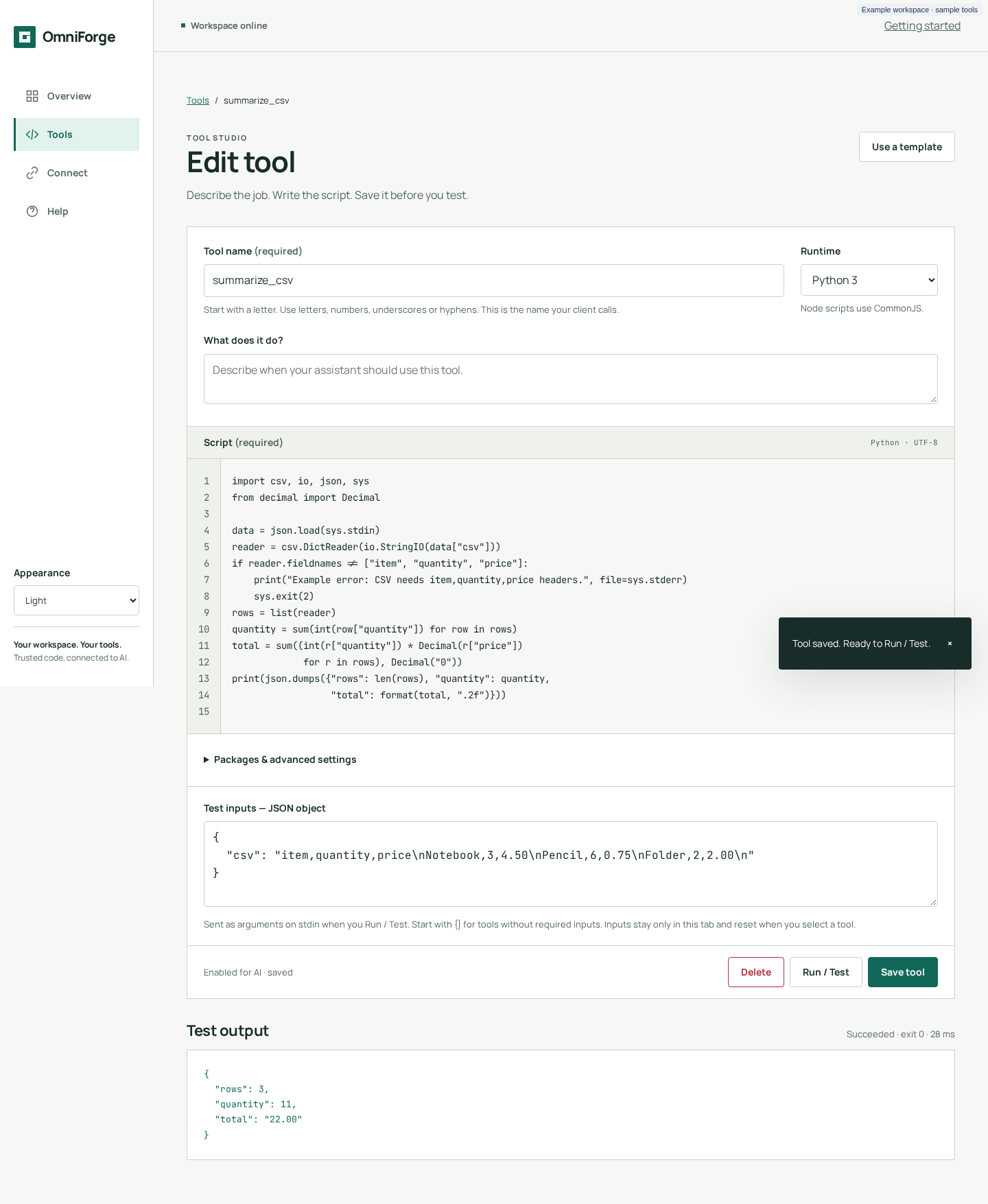
Reading the result:
- The summary, for example
Succeeded · exit 0 · 182 ms, gives the outcome, the exit code and the wall-clock time including any package install. - Output shows stdout, pretty-printed when it's JSON, and then
[stderr]with anything written to stderr. - Previous version / inputs before the summary means the code, the saved revision or the inputs have changed since that run. Run again to get a current result.
Common messages:
| Message | Meaning |
|---|---|
| Enter a valid JSON object, for example … | Test inputs must be a JSON object. Arrays, null, strings and numbers are rejected in the browser. |
| HTTP 422: Arguments do not match inputSchema | Valid JSON, but it doesn't match the saved schema. Dashboard-created tools accept only {}. |
| HTTP 412: Changed in another tab/client; draft retained… | The tool changed since you opened it. Copy your draft, then reload from the library. |
| Preparing dependencies… First installation may take up to 120 seconds… | The first run of a tool with packages. Wait for it to finish. |
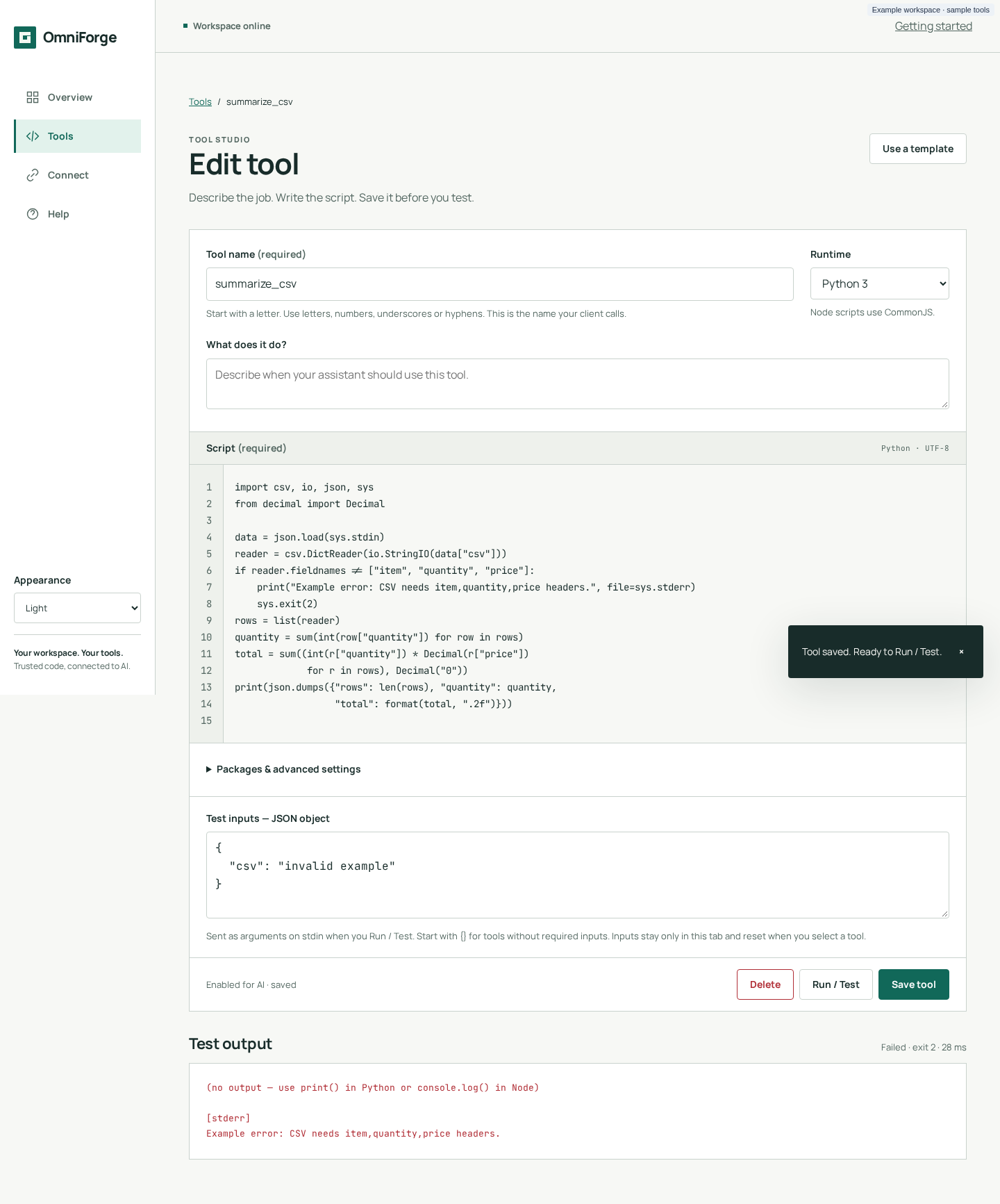
Test inputs are deliberately temporary. They're not saved with the tool or in browser storage, and they reset to {} when you open a different tool.
With the REST API
curl -s -X POST http://localhost:8000/api/tools/add_vat/run \
  -H 'Content-Type: application/json' \
  -d '{"arguments": {"net": 99.99}}'
{
  "stdout": "{\"net\": \"99.99\", \"rate\": \"20\", \"vat\": \"20.00\", \"gross\": \"119.99\"}",
  "stderr": "",
  "exit_code": 0,
  "timed_out": false,
  "duration_ms": 41
}
- Leave out the body entirely to run with
{}. - The body must be exactly
{"arguments": {…}}. Any other key returns HTTP 422. - Add
If-Match: <revision>to make sure you're testing the version you think you are. If the tool changed, you get HTTP 412 and nothing runs. - This route runs disabled tools too. Disabling a tool only hides it from MCP.
- No API key is needed. The management API has no authentication.
Over MCP
curl -s http://localhost:8000/mcp \
  -H 'Content-Type: application/json' \
  -H 'Authorization: Bearer <YOUR_API_KEY>' \
  -d '{"jsonrpc":"2.0","id":1,"method":"tools/call","params":{"name":"add_vat","arguments":{"net":99.99}}}'
{"jsonrpc":"2.0","id":1,"result":{"content":[{"type":"text","text":"{\"net\": \"99.99\", \"rate\": \"20\", \"vat\": \"20.00\", \"gross\": \"119.99\"}"}],"isError":false}}
Differences from the REST route:
- Only enabled tools can be called. A disabled or unknown name returns
isError: truewithUnknown or inactive tool. - stderr, exit code and timeout markers are folded into the text (see Writing tools → Errors).
- Validation errors come back as
isError: trueresults, not HTTP errors.
A testing checklist
- [ ] Runs with the smallest valid input, and with every optional field filled in.
- [ ] Bad input is rejected by the schema, not by a crash in the script.
- [ ] Upstream failures (network down, HTTP 500) print a clear message to stderr and exit non-zero.
- [ ] Successful runs write nothing to stderr, so MCP clients get clean JSON.
- [ ] Output is small: kilobytes, not megabytes.
- [ ] Runs well within 45 s, including any network calls, which should have their own timeouts.
- [ ] Packages are pinned, and the first run has completed so the cache is warm.
- [ ] Nothing in the code or the output contains a secret.
Automated checks for your own tools
OmniForge has no test runner for user tools, but the REST route is easy to script:
#!/usr/bin/env bash
set -euo pipefail
result=$(curl -sf -X POST http://localhost:8000/api/tools/add_vat/run \
  -H 'Content-Type: application/json' -d '{"arguments":{"net":10}}')
echo "$result" | jq -e '.exit_code == 0 and (.stdout | fromjson | .gross == "12.00")' > /dev/null \
  && echo "add_vat: ok"